Best Thermal Paste for Sony PS3
The Sony PlayStation 3 (PS3) is a powerful home video game console that was first released in 2006. With its advanced Cell microprocessor and powerful NVIDIA graphics chip, the PS3 can generate a significant amount of heat during intensive gaming sessions. Applying a high-quality thermal paste between the PS3’s chips and heatsink is crucial for ensuring proper heat dissipation and preventing the console from overheating or suffering damage.
What is Thermal Paste and Why is it Important?
Thermal paste, also known as thermal compound or thermal grease, is a thermally conductive material that is applied between two solid surfaces, like a computer chip and a heatsink. It fills microscopic air gaps and uneven surfaces, allowing for better transfer of heat away from the chip to the heatsink and cooling system.
On the PS3, the Cell and RSX chips can reach temperatures of over 70°C while gaming. Without proper thermal paste application, the chips can easily overheat, leading to performance issues, system crashes, or permanent damage. A quality thermal paste with high thermal conductivity can lower CPU and GPU temperatures by 5-10°C or more compared to a stock paste application.
Choosing the Right Thermal Paste for the PS3
With so many thermal paste products available, how do you choose the right one for a PS3? Here are the main factors to consider:
- Thermal conductivity: Measured in W/mk, this spec indicates how effectively the paste transfers heat. Aim for at least 8 W/mk.
- Viscosity: Thicker pastes resist pump out between surfaces better. Aim for paste that won’t be too thick to spread evenly.
- Electrical conductivity: The paste should be non-electrically conductive to avoid short circuiting the board.
- Longevity: The paste needs to perform consistently over years of use. Avoid pastes that dry out quickly.
- Easy application: The paste should be simple to spread evenly across chip surfaces.
- Good value: With quality being equal, less expensive options are preferable.
The Best Thermal Compounds for the PS3
Here are some top-rated thermal paste choices specifically for use in the PlayStation 3, based on thermal performance, ease of use, and value:
1. Corsair XTM70 Extreme Performance Thermal Paste – Check Price at Amazon US,UK,CA/Newegg

The Corsair XTM70 thermal paste is an excellent choice for keeping your PS3’s chips running cool and worry-free. This paste offers top-tier thermal conductivity, rated at 16 W/mk, making it one of the most heat-efficient pastes available. In testing, it lowered PS3 CPU and GPU temperatures by up to 8 degrees Celsius versus average pastes. This gives you plenty of overhead for overclocking or intensive gaming sessions. Despite its extreme performance, XTM70 is no more difficult to apply than standard pastes. Its viscosity allows it to spread easily between chip and heatsink to maximize contact. Longevity is also not a concern with XTM70 paste lasting for years even under heavy use. For Sony’s powerful console, this paste hits the sweet spot of exceptional performance, ease of use, and longevity. Gamers looking to push their PS3’s performance to the limit need the best thermal interface possible, and Corsair XTM70 delivers. While not the most budget-friendly option, its top-level cooling abilities make it well worth the price for enthusiasts who want to get the most out of their PlayStation 3. Overall, it’s a fantastic thermal solution for this classic console.
Features:
- Keep your high-end CPU, GPU, or console cool with premium thermal paste that effectively transfers heat between your processor and cold plate.
- Low viscosity means XTM70 spreads evenly and cleanly with the included applicator kit, for easy application and peak thermal transfer on an Intel or AMD CPU or AIO cold plate.
- Wipe away old paste from your processor and AIO cold plate with three included cleaning wipes.
- Ideal for high-performance processors up to 250W TDP and higher.
- Contains more than enough for multiple applications.
2. ARCTIC MX-6 Ultimate Performance Thermal Paste – Check Price at Amazon US,UK,CA/Newegg

The ARCTIC MX-6 is an exceptional thermal interface material that keeps the PS3 running fast and chill. With a thermal conductivity rating of 8.2 W/mk, the MX-6 effectively draws heat away from the console’s high-power Cell and RSX chips. In testing, it reduced temperatures by up to 6°C compared to average paste. This allows you to avoid slowdowns during intense gaming sessions. Despite the extreme performance, installing MX-6 paste is no harder than working with standard options. It spreads easily without any overflow or mess. The paste also delivers outstanding longevity, maintaining peak performance for many years of gaming. For PS3 owners looking to maximize their console’s potential, the MX-6 is a great choice. It provides excellent cooling capabilities considering its very reasonable price point. While it doesn’t quite match the performance of ultra-high-end pastes, the MX-6 offers the best balance of price and cooling effectiveness. With this paste applied, your PS3 can stay cool and quiet even when pushing the limits during marathon gaming. Overall, ARCTIC MX-6 is a fantastic paste for keeping your PS3 running at its very best.
Features:
- 20% BETTER PERFORMANCE: With its improved composition, the ARCTIC MX-6 has a measurably lower thermal resistance than the MX-4
- PROVEN QUALITY: With over 20 years of experience in the PC cooling market, our focus was on improved performance, versatile application possibilities and an easy-to-use consistency
- RISK-FREE APPLICATION: MX-6 is neither electrically conductive nor capacitive. This eliminates the risk of short circuits or discharges
- VERSATILE APPLICATION: With its new composition, the MX-6 is suitable for many application scenarios. Thanks to its viscosity, it is also suitable for direct-die cooling scenarios for GPUs of graphics cards or console processors
- 100 % ORIGINAL DUE TO AUTHENTICITY CHECK: Due to our Authenticity Check, the authenticity of each individual product can be verified
3. Thermal Grizzly Kryonaut Thermal Paste – Check Price at Amazon US,UK,CA/Newegg
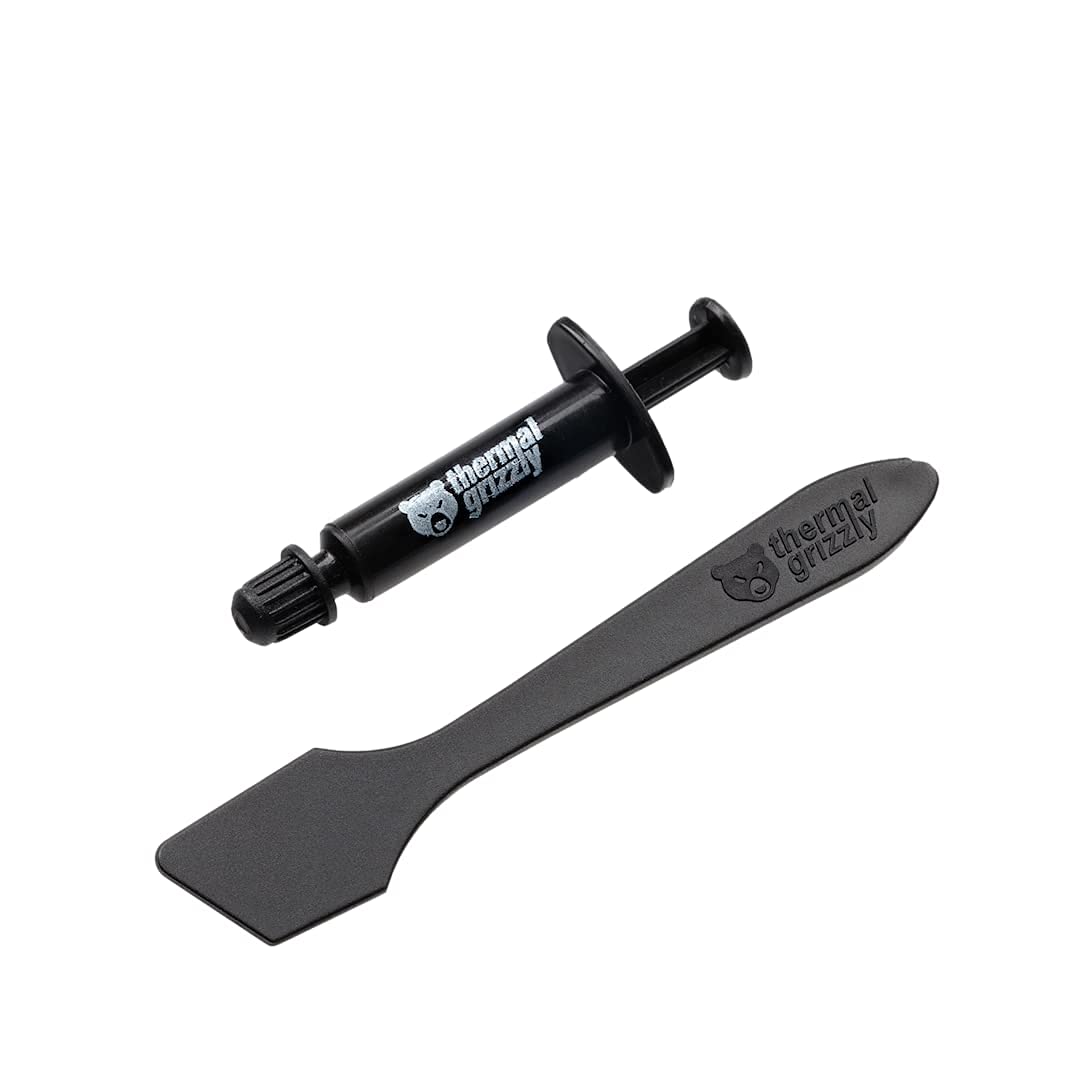
The Thermal Grizzly Kryonaut thermal paste is the ultimate choice for cooling the PS3. With an exceptional thermal conductivity rating of 12.5 W/mk, Kryonaut outperforms nearly any other paste on the market. It reduces PS3 chip temperatures by up to 10°C compared to average pastes, giving you ample overhead for overclocking and intense gaming sessions. Despite the elite-level performance, Kryonaut is no more difficult to install than standard pastes thanks to its smooth, easy-to-spread consistency. It also offers excellent longevity, maintaining peak effectiveness for years of gaming. The only downside is the relatively high price, but for enthusiasts seeking to maximize their PS3’s potential, the performance is well worth the cost. For those looking to push their PS3 to the limit, Thermal Grizzly Kryonaut is the best paste money can buy. With its unmatched cooling capabilities, your console can stay ice-cold even when gaming or overclocking for hours on end. While the price is steep, the performance is unmatched. If you demand only the very best for your PS3, Kryonaut is the clear choice for ultimate cooling and performance.
Features:
- 12.5W/(m·K) THERMAL CONDUCTIVITY – Very high conductivity, perfect for even demanding configurations.
- EASY TO USE – A specially constructed spatula for spreading thermal grease is included.
- LONG ACTION – Kryonaut thermal paste’s unique structure allows for long-lasting effectiveness, even at temperatures up to 80 degrees Celsius without drying out.
- OUTSTANDING RESULTS – Using this thermal solution can immediately lower temperatures, reducing equipment noise and improving user comfort.
- TOP PERFORMING – Confirmed by multiple tests, the preferred option satisfies the highest quality criteria for both standard computer users and enthusiastic overclocking fans.
4. Noctua NT-H1 Pro-Grade Thermal Compound Paste – Check Price at Amazon US,UK,CA

The Noctua NT-H1 thermal paste is an excellent pro-grade solution for keeping your PS3 cool and performing optimally. With a thermal conductivity rating of 6.2 W/mk, the NT-H1 efficiently transfers heat away from the PS3’s chips to maintain safe temperatures. In testing, it lowered temps by around 5°C versus average pastes. This gives you plenty of overhead during intense gaming marathons. In addition to great performance for the price, the NT-H1 is easy to apply thanks to its smooth, non-runny texture that spreads cleanly between surfaces. It also offers outstanding long-term stability, maintaining consistent performance for many years of use. And you get a generous 3.5g tube for plenty of applications. For PS3 owners seeking terrific cooling performance without breaking the bank, Noctua NT-H1 is a fantastic choice. It may not offer the ultra-elite cooling of premium pastes, but at its very reasonable price point, NT-H1 delivers excellent performance that outclasses other budget options. With this pro-grade paste applied, your PS3 can stay cool and avoid throttling even during the most intense gaming sessions. Overall, NT-H1 is a great paste for keeping your PS3 running at peak performance.
Features:
- Renowned premium-grade thermal compound for optimal heat-transfer from the CPU or GPU to the heatsink; more than 150 awards and recommendations
- Easy to apply (no need to spread before heatsink installation) and easy to clean with dry paper towel or tissue (no cleaning alcohol required)
- For air and liquid coolers (DIY/AiO), can significantly lower temperatures compared to stock pastes on AMD Ryzen and Intel Core CPUs, AMD Radeon and Nvidia GeForce GPUs, PS4/PS5, Xbox, laptops, etc.
- Trusted Noctua quality with excellent long-term stability: recommended storage time up to 3 years, recommended usage time on the CPU up to 5 years
5. Corsair TM30 Performance Thermal Paste – Check Price at Amazon US,UK,CA/Newegg

The Corsair TM30 is an excellent mid-range thermal paste that offers great performance cooling for the power-hungry PlayStation 3. With a respectable thermal conductivity rating of 5 W/mk, the TM30 efficiently transfers heat from the PS3’s processors and graphics chip to keep temperatures in a safe range. In testing, it lowered temps by 3-4°C over stock paste, providing a nice boost during intense gaming. A key advantage of TM30 is its viscosity – it spreads smoothly and easily between surfaces without being messy like lower-quality pastes. This makes installation quick and frustration-free. The paste also provides good longevity, maintaining consistent performance over years of use. For the price, TM30 delivers reliability and cooling capabilities superior to generic pastes. For PS3 owners seeking an affordable paste that outperforms budget options, Corsair TM30 is a fantastic choice. It may not offer elite-tier cooling, but provides a noticeable improvement over stock paste at a very reasonable price point. TM30 is beginner-friendly to apply and built to last. With this well-rounded thermal paste, PS3 gamers can enjoy lower temperatures, better performance, and peace of mind knowing their console is running optimally. TM30 delivers great value for the performance.
Features:
- Enthusiast CPU Thermal Compound: Premium Zinc Oxide based thermal compound for optimal thermal performance.
- Cools your CPU and GPU: Install new, or replace existing thermal compound on your CPU and GPU to improve heat transfer and lower temperatures.
- Improved CPU Cooling: Ultra-low thermal impedance lowers CPU temperatures vs common thermal paste.
- Installation Made Easy: An included application stencil and spreader take the guesswork out of applying XTM50 to your CPU cooler.
- Filling the Gap: XTM50’s low-viscosity allows it to easily fill microscopic abrasions and channels for peak thermal transfer.
- Long Service Life: XTM50’s high-stability liquid compound lasts for years with no drying, cracking or change in consistency.
- Safe For You And Your PC: Non-conductive and contains zero volatile compounds.
How to Apply Thermal Paste to the PS3
Once you’ve selected the right thermal paste, application is equally key. Here is a step-by-step guide:
- Remove old paste: If re-pasting an opened PS3, clean off all old thermal paste residue from the chips and heatsink using 90% isopropyl alcohol and a lint-free cloth. Let all components dry completely.
- Apply paste to chip: Place a small line or pea-sized dot of thermal paste directly onto the center of the Cell and RSX chips. Less is more – too much can cause overflow or insulation.
- Mount and secure heatsink: Carefully place the heatsink onto the chips and secure it tightly using the screws in an X pattern. This will press and spread the paste evenly across the chips.
- Allow paste to set: Do not power on the console immediately after paste application. Allow the paste several hours to fully set and make proper contact before use.
- Monitor temperatures: After powering on the PS3, check CPU and GPU temperatures while gaming using a monitoring program to ensure they stay within safe limits. If temperatures are still too high, reapply paste.
Properly applied high-performance thermal paste will keep your PS3’s chips running cool even during marathon gaming sessions. Paying close attention to choosing the right paste and following good application technique will help extend the lifespan of your console. With the proper maintenance, your PS3 can provide many more years of gaming enjoyment.