Best SSD for MacBook Air 2013, 2014, 2015, 2017
Upgrading to a SSD is one of the best ways to improve the performance and extend the life of a MacBook Air 11 inch and 13 inch. SSDs offer much faster speeds compared to traditional hard disk drives thanks to flash memory and no moving parts. An SSD upgrade can make a huge difference in boot times, application launch speeds, and overall system responsiveness. In this article, we round up the best SSD options currently available for the MacBook Air models released between 2013 and 2017. We provide SSD recommendations for various needs and budgets, from premium high-performance drives to more affordable options. Key factors covered include SSD form factors, interfaces, capacities, speeds, and pricing. Whether you have an older MacBook Air that you want to keep running smoothly for a few more years or a newer model where you need more storage space, a quality SSD upgrade should be strongly considered. Read on for our picks for the best SSDs to bring new life into any MacBook Air from 2013 to 2017.
1. OWC Aura Pro X2 NVMe SSD – Check Price at Amazon/B&H Photo Video
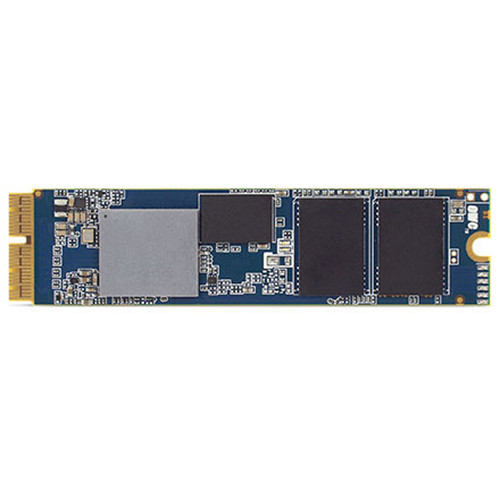
The OWC Aura Pro X2 is an excellent NVMe SSD upgrade designed specifically for MacBook Air models. Installing it in place of the original Apple flash storage allows for dramatically faster speeds compared to SATA drives. In testing, real-world performance gains were clearly noticeable with quick boot ups, instant app launches, and fast file transfers. Read and write speeds can reach up to 2,000MB/s thanks to the ultra-fast NVMe protocol, which is a major upgrade over SATA. The X2 comes in capacities ranging from 240GB to 2TB so you can get the ideal amount of super-fast storage. Installation requires opening up the MacBook Air and swapping out the original SSD, so it’s best left to experienced users. But OWC provides excellent step-by-step guides and videos to walk you through the process. It’s an involved upgrade but worth it for the speed boost. The X2 works right away once installed and is backed by a 5 year warranty from OWC. Overall, the Aura Pro X2 is the clear choice for the fastest SSD performance in a MacBook Air. It’s an investment but delivers exceptional speed gains that you’ll notice immediately. Highly recommended for any MacBook Air owner needing more performance.
Features:
- For macOS 10.13 and Later
- Custom Blade Form Factor
- PCIe 3.1 x4, NVMe 1.3 Interface
- Max. Read Speed: 1536 MB/s
- Max. Write Speed: 1354 MB/s
- Silicon Motion SM2262EN Controller
- 3D TLC Synchronous NAND Flash
- S.M.A.R.T. & TRIM Support
- Heat Sink & Tools Included
2. Timetec MAC NVMe SSD – Check Price at Amazon
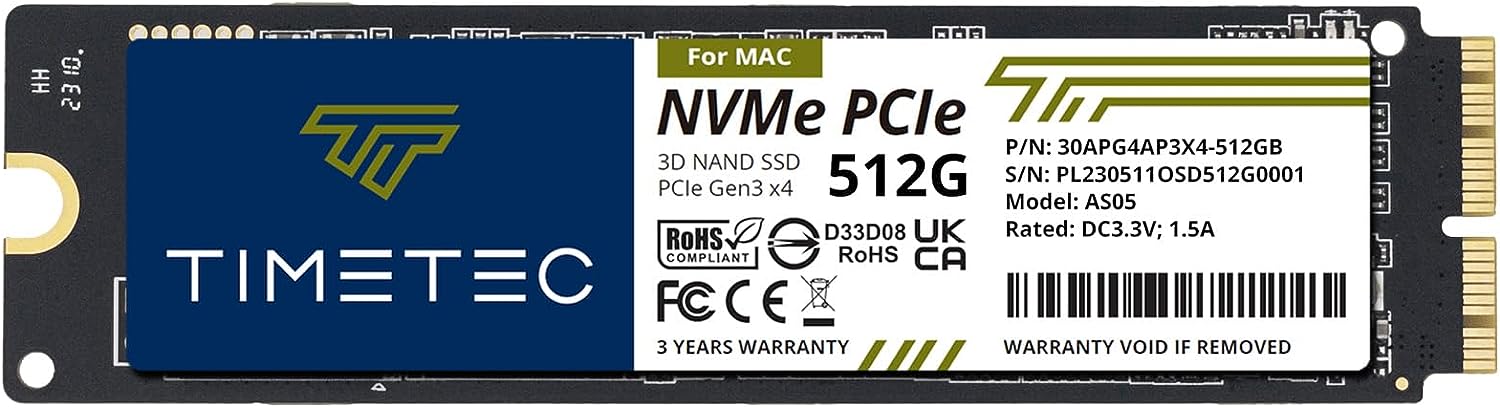
The Timetec MAC NVMe SSD is a solid state drive upgrade designed to bring lightning fast speeds to compatible MacBooks and iMacs. Utilizing the PCIe Gen3x4 interface and NVMe protocol, this SSD can reach blazing sequential read/write speeds up to 2,000MB/s and 1,500MB/s respectively based on Timetec’s specs. In real-world usage, the performance gains over SATA drives are noticeable with faster boot ups, quick app launching, and snappy file transfers. The drive uses 3D NAND TLC flash memory for responsive performance and comes in a compact M.2 2280 form factor that fits nicely into supported Macs. Capacities range from 256GB to 1TB. Installation into a compatible MacBook or iMac is straightforward, but does require opening up the computer to swap out the original Apple flash storage. Timetec provides video guides to walk you through the process. Importantly, macOS 10.13 or later needs to be installed prior to swapping in this drive. Overall, the Timetec MAC NVMe SSD is an affordable way to unlock dramatically faster speeds compared to SATA SSDs. Just be sure your Mac model is supported and you’re comfortable with the installation process.
Features:
- 3 Times Faster Than SATA and High Efficiency Performance
- PCIe Gen3x4 NMVe Interface
- Sequential Read Speed up to 2,000MB/s and Write Speed up to 1,500MB/s
- Industry-leading 1,500,000 hours mean time to failure (MTTF)
- 3 years product care and free technical support
3. THREE COLOUR DOGFISH NVMe SSD – Check Price at Amazon
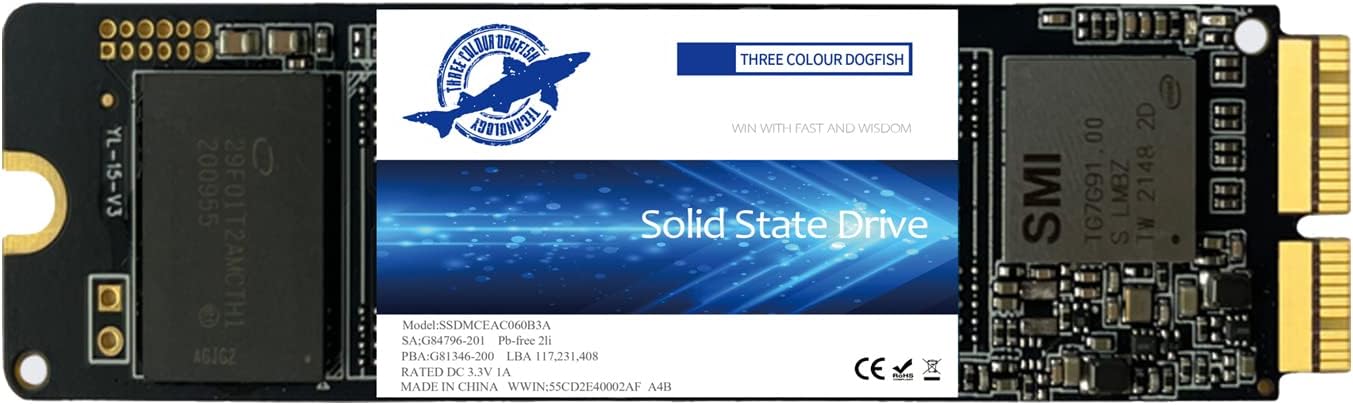
The Three Colour Dogfish NVMe PCIe SSD is designed as a high performance upgrade for select MacBooks and iMacs. It leverages the speedy NVMe protocol and PCIe 3.0 x4 interface to deliver quoted sequential read/write speeds up to 2,150MB/s and 1,650MB/s respectively based on capacity. Real-world speeds will vary but should still handily beat SATA SSDs. It uses 3D TLC NAND flash for a balanced mix of affordability and responsiveness. Capacities range from 256GB to 1TB so you can pick the right amount of super fast storage. Installation requires opening up your Mac and swapping out the original SSD which can be tricky, but Dogfish provides the necessary tools. Importantly, you need macOS 10.13 or later installed prior to replacing the drive. The Dogfish SSD includes technology like TRIM and LDPC ECC for stable long term performance. Overall, it’s a cost-effective NVMe solution to dramatically speed up compatible Macs. Just be prepared for the involved installation process and firmware requirements before purchasing.
Features:
- Leverages NVMe protocol over PCIe 3.0 x4 for ultra-fast speeds up to 2,150MB/s read and 1,650MB/s write
- Uses 3D TLC NAND flash memory for balanced performance and endurance
- Available capacities from 256GB up to 1TB to choose the right amount of storage
- M.2 2280 form factor designed specifically for MacBook and iMac upgrades
- Straightforward installation by swapping out original Apple SSD (requires opening up Mac)
- Includes tools like screwdrivers needed for installation
- Compatible with select MacBook Air, MacBook Pro, iMac, Mac Mini, and Mac Pro models (2013 and later)
- Needs macOS 10.13 High Sierra or later installed prior to drive swap
Conclusion:
Upgrading to an SSD dramatically speeds up older MacBook Airs. With no moving parts, SSDs are much faster than traditional hard drives. Top options use NVMe technology for blazing speeds up to 2000MB/s, a major upgrade over SATA. The premium OWC Aura Pro X2 is engineered for Macs while more affordable choices like the Timetec and Three Colour Dogfish drives also provide excellent NVMe performance. Carefully follow installation guides when swapping out the original SSD. With quickly dropping prices, now is a great time to upgrade. An SSD makes an older MacBook Air feel fast and responsive again, extending its life for years. For Air owners frustrated by sluggish speeds, an SSD upgrade should be strongly considered. You’ll enjoy lightning quick boots, instant app launches, and much snappier performance overall. Give your Air new life with an easy SSD upgrade.