Best Monitor for Mac Mini M2
The Mac Mini M2 (2023) is a compact and affordable computer that packs a punch with the recently-released M2 or M2 Pro chip. However, since it doesn’t come with a display, users will have to buy one separately. With so many different options, it can be overwhelming to choose the right monitor. In this article, we will take a closer look at some of the best monitors for the Mac Mini M2. We have tested and reviewed latest monitors, and below are top recommended ones for Mac Mini M2:
Best Monitor | Budget Monitor | Portable Monitor | Curved Monitor | 4K Monitor
Best Monitor for Mac Mini M2:
Apple 27″ Studio Display – Check Price at Amazon/B&H Photo Video
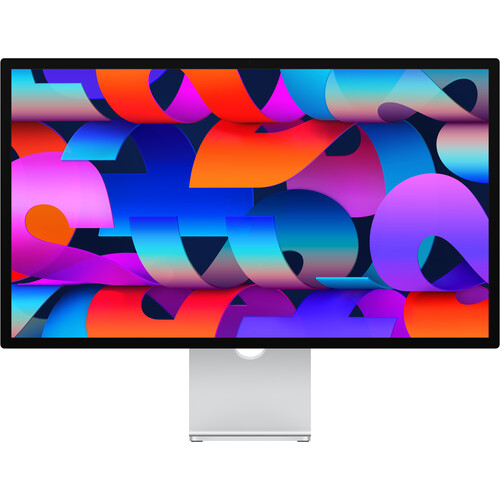
The Apple 27″ Studio Display is a premium monitor designed specifically for Mac Mini M2. It features a stunning 5K resolution and provides a clear and sharp image, making it a great companion for Mac-centric content creators. The color accuracy of the monitor is excellent, and its speaker setup is surprisingly good for a display, producing clear and rich audio. One of the standout features of the Studio Display is its camera, which is fantastic and provides users with high-quality video for video conference calls or content creation. The monitor’s 27-inch screen size is perfect for multitasking and provides enough screen real estate to work on multiple applications side by side comfortably. Additionally, it is easy to use and set up, providing a plug-and-go experience with the latest Mac models. The Studio Display’s sleek design is another factor that makes it an excellent product. The monitor’s thin profile and slim bezels give users a clean and minimalist workspace, perfect for those who value aesthetics. The display is adjustable, allowing users to tilt it or adjust its height based on their preferences. One downside to this monitor is its high price point, which may be a dealbreaker for some potential buyers. However, the Studio Display’s quality and features more than justify the cost, making it a worthwhile investment in the long run. Overall, the Apple 27″ Studio Display is an exceptional product for Mac users who prioritize a high-quality display and components. Its sharp image, excellent camera and speaker setup, and sleek design make it a must-have for content creators, professionals, and those seeking the best quality display for their Mac or iPad.
Features:
- 27″ Retina LCD Panel
- Thunderbolt 3 Input
- 5120 x 2880 5K Resolution
- 600 nits Brightness
- 1.07 Billion Colors
- 12MP Ultra Wide Webcam with Center Stage
- Six Speaker Sound System | 3-Mic Array
- 3 x USB 3.2 Gen 2 Type-C Ports
- Tilt Adjustable Stand
Best Budget Monitor for Mac Mini M2:
ASUS ProArt Display PA278QV 27″ 16:9 Adaptive-Sync IPS Monitor – Check Price at Amazon/B&H/Newegg
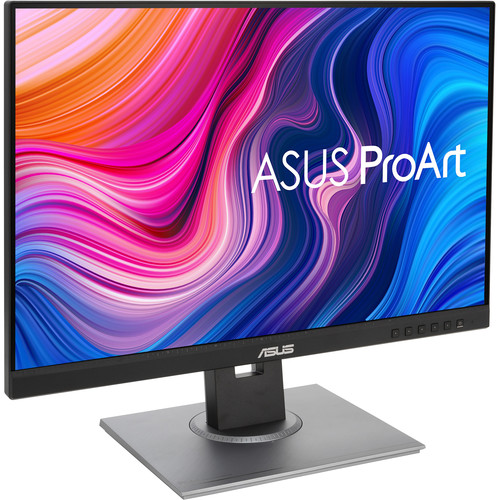
The ASUS ProArt Display PA278QV is a high-quality monitor designed for professionals who require accurate color output, it is currently best budget monitor for Mac Mini M2. The 27-inch WQHD IPS monitor offers a frameless design and delivers 100% sRGB and 100% Rec.709 color gamut coverage. It also boasts Calman verification, ensuring color accuracy and calibration. This monitor comes at a surprisingly affordable price and delivers impressive performance for its price range. It may not offer a wide-gamut panel or 4K resolution, but it makes up for this with its accurate color output and Adaptive-Sync technology. This technology ensures that there are no screen-tearing or stuttering issues during fast-paced gameplay or video playback. The ASUS ProArt Display PA278QV also offers ergonomic design features such as tilt, swivel, pivot, and height adjustments which makes it easy to find a comfortable viewing position. The monitor is also VESA-compatible, giving users the option to mount it on their wall or multi-monitor setup. Overall, the ASUS ProArt Display PA278QV is a great budget-friendly monitor for professionals who require accurate color output and for individuals who enjoy gaming and video playback. It is a solid choice for those who want a high-quality monitor at an affordable price.
Features:
- In-Plane Switching (IPS) Panel
- HDMI | Mini DP | DP | DVI-D Inputs
- 2560 x 1440 QHD Resolution
- 1000:1 Static Contrast Ratio
- 350 cd/m² Brightness
- 178°/178° Viewing Angles
- 5 ms Response Time
- 75 Hz Refresh Rate
- 16.7 Million Colors
Best Portable Monitor for Mac Mini M2:
ASUS ROG Strix XG16AHPE 15.6″ 16:9 G-Sync 144 Hz Portable IPS Gaming Monitor – Check Price at Amazon/B&H/Newegg

The ASUS ROG Strix XG16AHPE 15.6″ 16:9 G-Sync 144 Hz Portable IPS Gaming Monitor is a well-built and feature-packed gaming monitor that offers excellent portability. Its built-in battery, 144Hz refresh rate, and AMD FreeSync support make it an ideal choice for gamers who want to game on the go. The monitor’s size also makes it easy to carry with you wherever you go. The monitor’s IPS panel is of top-notch quality, offering a wide viewing angle and accurate colors. Its G-Sync technology provides a smooth gaming experience, without any screen tearing or stuttering. The monitor’s HDR support also adds depth to its visuals, enhancing the overall gaming experience. One major drawback of this monitor is its price, which may put it out of reach of some gamers. Also, the monitor’s built-in speakers are not very powerful and may not be able to deliver the sound quality that most gamers expect. Overall, the ASUS ROG Strix XG16AHPE 15.6″ 16:9 G-Sync 144 Hz Portable IPS Gaming Monitor is great choice for gamers on the go who value portability and high-quality visuals. However, its high price and average sound output may make it less appealing to some users.
Features:
- 15.6″ In-Plane Switching (IPS) Panel
- Micro-HDMI + USB Type-C Inputs
- 1920 x 1080 FHD Resolution @ 144 Hz
- 800:1 Static Contrast Ratio
- 300 nits Brightness
- 178°/178° Viewing Angles
- 3 ms Response Time (GtG)
- 16.7 Million Colors
- NVIDIA G-Sync Support | Kickstand
- Integrated Speakers & Battery
Best Curved Monitor for Mac Mini M2:
Samsung Odyssey NEO G9 G95NA Gaming Monitor – Check Price at Amazon/B&H Photo Video/Newegg
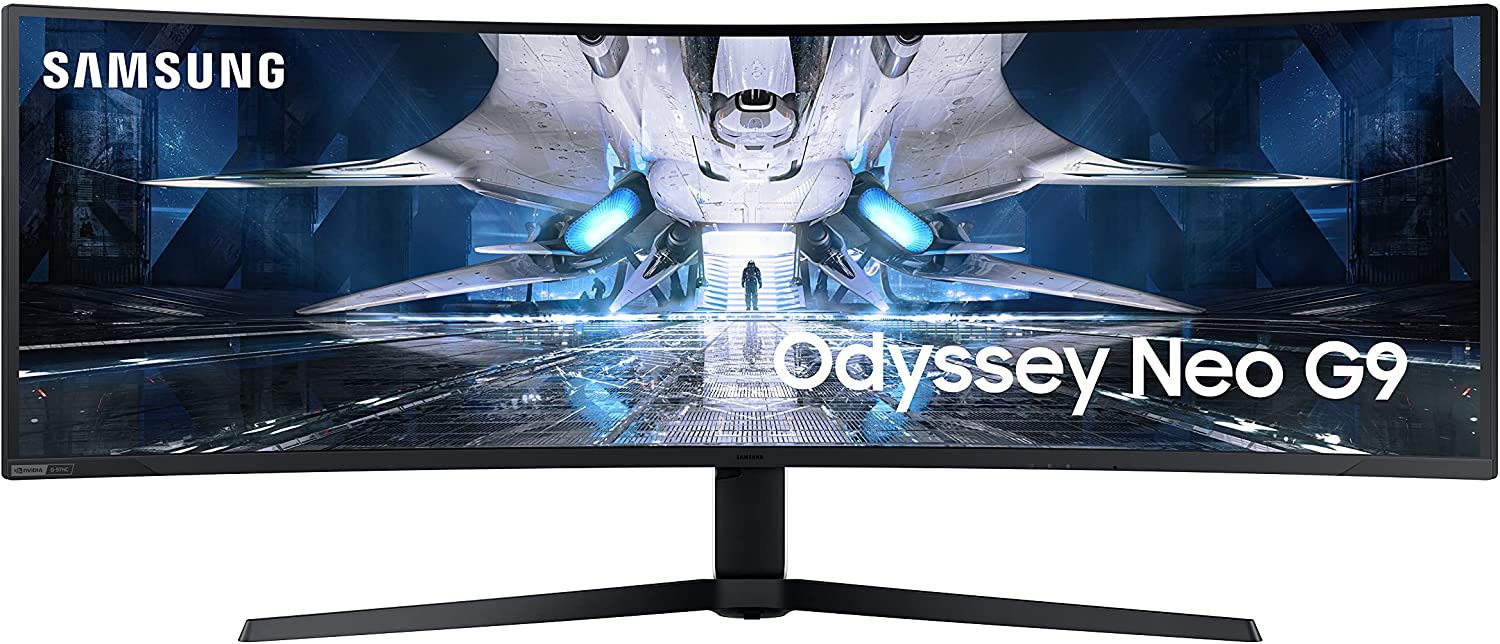
The Samsung Odyssey Neo G9 is a top-of-the-line gaming monitor that boasts an impressive range of features. With a massive 49-inch super ultra-wide screen, the Neo G9 provides a breathtaking gaming experience that’s hard to beat. It also boasts a stunning resolution of 5120×1440 and a refresh rate of 240Hz, making it one of the fastest monitors in the market. One of the most notable features of the Neo G9 is its ability to display HDR content with a peak brightness of 2000 nits. This means that games, movies, and other media are displayed with incredibly vibrant colors and deep contrast that truly immerses you in the action. The Neo G9 also features G-Sync and FreeSync compatibility, which ensures that your games run smoothly and without stutter or lag. The Neo G9 is not without its downsides, however. Its price is exorbitant, making it a luxury purchase that only the most dedicated gamers will be willing to splurge on. Additionally, the Neo G9’s curved screen may not appeal to everyone’s preference, and its sheer size may be overwhelming for some. All in all, the Samsung Odyssey Neo G9 is a truly impressive gaming monitor that delivers an unparalleled gaming experience. Its features and capabilities are unrivaled in the market, but its high cost may make it a prohibitive purchase for some.
Features:
- 49″ Vertical Alignment (VA) Panel
- 1000R Curved Design
- DisplayPort 1.4 + HDMI 2.1 Inputs
- 5120 x 1440 Resolution @ 240 Hz
- 1,000,000:1 Static Contrast Ratio
- 2000 nits Peak Brightness
- 178°/178° Viewing Angles
- 1 ms Response Time (GtG)
- 1.07 Billion Colors with HDR
- AMD FreeSync Premium Pro & NVIDIA G-Sync
Best 4K Monitor for Mac Mini M2:
Dell UltraSharp U3223QE 31.5″ 4K UHD WLED LCD Monitor – Check Price at Amazon/B&H Photo Video
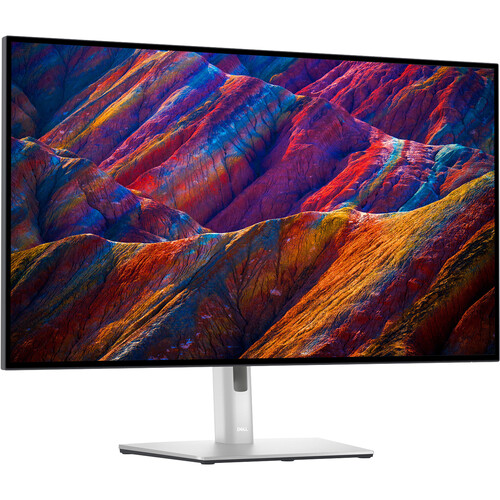
The Dell UltraSharp U3223QE 31.5″ 4K UHD WLED LCD Monitor is an exceptional choice for anyone seeking a top-quality office display. With a 32-inch screen and 4K resolution, this monitor allows for multitasking with multiple windows open without sacrificing image clarity. The U3223QE also offers excellent adjustability options and a sleek, professional design that fits seamlessly into any workspace. Furthermore, this monitor boasts LG’s new IPS Black panel technology, which delivers solid black levels and excellent color accuracy, making it an ideal choice for graphic designers and video editors. With its fast response time and high refresh rates, it is also an excellent option for gamers who require a top-quality display for their setup. In conclusion, the Dell UltraSharp U3223QE 31.5″ 4K UHD WLED LCD Monitor is a great all-around display that is versatile and reliable in any professional setting. Its IPS Black panel technology, superb adjustability, and sleek design make it a top pick for any office setup. Although it may be a bit pricier than other office monitors on the market, the U322QE’s display quality and features make it worth the investment.
Features:
- 32″ 16:9 IPS Panel
- HDMI | DisplayPort | USB Type-C
- 4K UHD 3840 x 2160 at 60 Hz
- 8/5 ms Response Time (GtG)
- 2000:1 Static Contrast Ratio
- 400 nits Brightness
- 1.07 Billion Colors
- 100% Rec 709 and 100% sRGB Color Gamuts
- 98% DCI-P3 Color Gamut
- Built-In USB Hub
In conclusion, choosing the best monitor for your Mac Mini M2 can be a challenging task. However, by considering factors such as price, performance, and features, you can find a monitor that perfectly suits your needs. The above monitors are all excellent choices, so be sure to compare them carefully and choose the one that best serves your specific needs and preferences.