Best Docking Station for DELL XPS 13, 15, 17
The Dell XPS 13, 15, and 17 are some of the most popular laptops available on the market today. They have powerful processors, stunning displays, and excellent battery life. But one of the issues many users face with these laptops is finding an appropriate docking station to use. For those who need to get the most out of their systems, an external docking station is often essential. A docking station allows users to easily connect additional peripherals and accessories, including monitors, keyboards, mice, hard drives, and printers. The right docking station can maximize the potential of your Dell laptop, allowing for the highest-quality multitasking and media experience. In this article, we have reviewed and tested latest docking stations for DELL XPS laptops, and below are top recommended ones for DELL XPS 13, 15, 17:
1. CalDigit TS4 Thunderbolt 4 18-in-1 Hub – Check Price at Amazon/B&H Photo Video
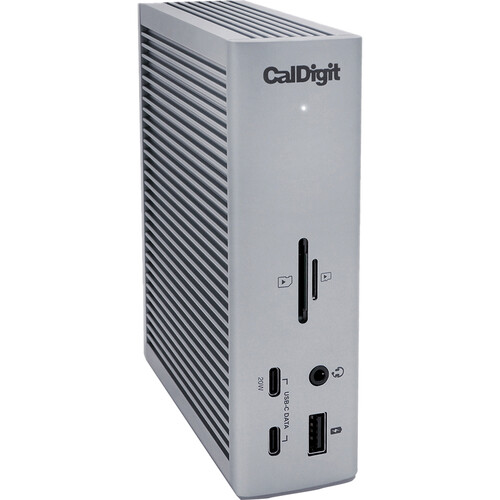
The CalDigit TS4 Thunderbolt 4 Dock is currently one of the most powerful and versatile dock for DELL XPS laptops. It features 3 Thunderbolt 4 ports, 5 USB 3.2 Gen2 type-A ports, 3 USB 3.2 Gen2 type-C ports, an Ethernet port, a DisplayPort, four USB 2.0 Type-A ports, a 3.5mm Audio Out jack, and an SD/microSD card reader. This makes it perfect for connecting an array of external devices, such as monitors, hard drives, and printers. The dock can also be used to charge your laptop while connected via Thunderbolt 4, making it the ideal choice for people who need to utilize multiple external devices. Additionally, the CalDigit TS4 features a variety of advanced features, such as dual Thunderbolt 4 controllers, 98 watts of power delivery, two independent displays with resolutions up to 5K, and support for daisy-chaining up to 6 devices. The hub is nicely designed and features a slim form factor and a solid aluminum construction. It is also compatible with Windows and Mac computers and offers high-speed data transfer speeds. All of the ports are well-labeled, making it easy to identify the ones you need to use. Furthermore, the hub is backed by a 2-year warranty, which provides peace of mind. Overall, the CalDigit TS4 Thunderbolt 4 18-in-1 Hub is an excellent choice for those looking for an all-in-one connection solution. With its wide range of ports and support for power delivery, it makes it easy to quickly and securely set up any device. It also offers exceptional performance and durability, making it a great value for the money.
Features:
- 3 x Thunderbolt 4 Ports
- 3 x USB 3.2 Gen 2 Type-C
- 5 x USB 3.2 Gen 2 Type-A
- 1 x DisplayPort 1.4
- 1 x SD, 1 x microSD Card Slots
- 1 x 2.5 Gigabit Ethernet Port
- 1 x 3.5mm Combo Audio Jack
- 1 x Rear Audio Out, 1 x Rear Audio In
- 98W Power Delivery
- For Windows & Mac
2. Dell WD22TB4 Thunderbolt 4 Dock – Check Price at Amazon/B&H Photo Video
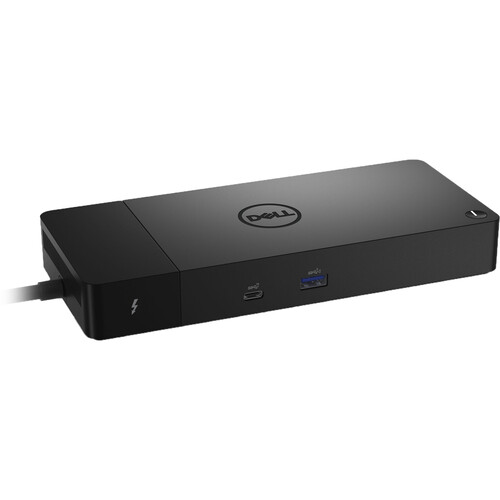
The Dell WD22TB4 Thunderbolt 4 Dock offers a convenient and power-packed solution for connecting your laptop to multiple devices, currently one of the best dock stations for DELL XPS Laptops. It allows you to quickly connect multiple peripherals and high-speed storage devices, including up to four displays and two external GPUs, to your laptop. The dock also supports a huge range of ports, including HDMI 2.0, Gigabit Ethernet, USB 3.2 Gen 2, and audio inputs and outputs. Setup and configuration are simple, with the included Thunderbolt 4 cable and software for automatically detecting and configuring your connected devices. The Dell WD22TB4 Thunderbolt 4 Dock is a powerful and feature-rich docking station that offers an easy and efficient way to connect your laptop to a wide range of peripherals and other devices. It’s an ideal choice for creative professionals and power users who require an extensive range of ports and reliable performance.
Features:
- Provides up to 130W of Power Delivery
- 2 x Thunderbolt 4 Port
- 2 x DisplayPort 1.4 Port
- 1 x HDMI 2.0 Port
- 1 x USB 3.2 Gen 2 Type-C Port
- 1 x USB Type-C Multifunction DisplayPort
- 3 x USB 3.2 Gen 1 Type-A Port
- 1 x Gigabit Ethernet RJ45 LAN Jack
3. Plugable 4K USB C Docking Station Triple Monitor with 100W Power Delivery – Check Price at Amazon
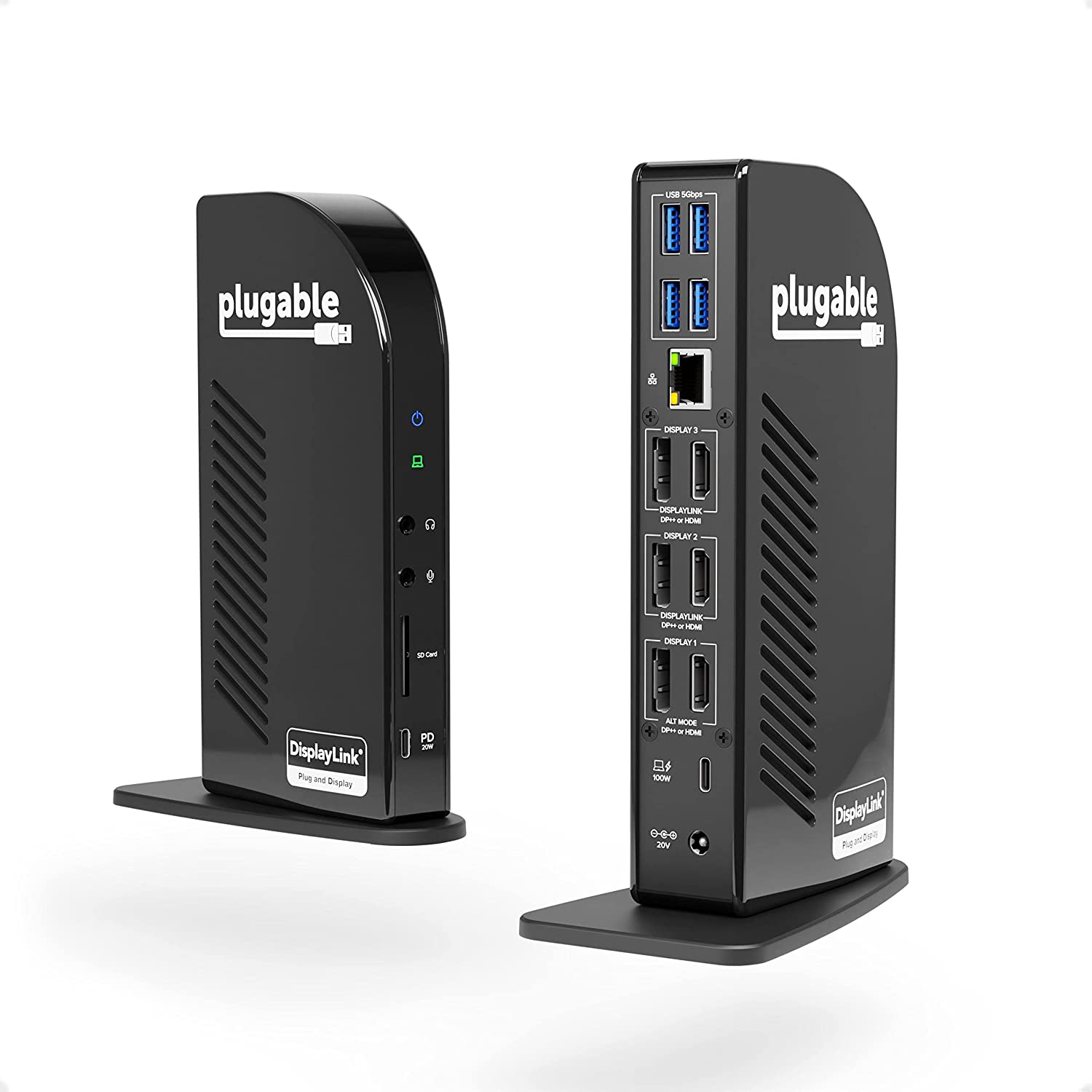
The Plugable 4K USB C Docking Station Triple Monitor with 100W Power Delivery is an ideal tool for productivity, creativity, and convenience. It offers an unprecedented level of flexibility in allowing you to add a flawless connection between your laptop or computer and additional monitors, keyboard, mice and other devices. The top-of-the-line hardware is designed to handle the most demanding tasks and gives you 4K picture quality along with a lag-free experience. The Plugable 4K USB C Docking Station is powered by an advanced charging technology that includes 100W power delivery, which is more than enough to power almost every type of device. With its ergonomic design and easy-to-use ports, setting up and using the docks is hassle-free. Furthermore, the Plugable 4K USB C station comes with a DisplayPort 1.2 output and an HDMI port to give you optimal viewing options. Moreover, its plug-and-play nature makes it compatible with both Mac and Windows operating systems. Overall, the Plugable 4K USB C Docking Station Triple Monitor with 100W Power Delivery is worth its price. It’s a great investment for anyone who needs to connect multiple devices to their laptop or desktop computer. The robust technology ensures lag-free performance and the picture quality is incredible. Plus, the ease of setup and use makes this docking station a must-have for anyone looking for a reliable and powerful connection solution.
Features:
- Powerful Ports – 13 ports and power delivery to keep your laptop running all day, this USB-C docking station with Power Delivery extends across three screens with room for all of your peripherals. All through a single 10Gbps USB-C cord back to the computer
- Triple 4K – Featuring 3x DisplayPort ports, and 3x HDMI ports — standardize on one or use a mix of both to extend your desktop across three 4K monitors @ 60Hz with USB4 / Thunderbolt 4 hosts via Alt Mode and this laptop docking station — no dongles required
- 100W Power Delivery – Power your laptop with up to 100W (96W certified) directly through the DisplayLink docking station, so you can leave your laptop power adapter in your travel bag.
- Compatibility – USB-C dock is compatible with Windows 10 or later, ChromeOS 100 or later, and macOS 11+ systems with Thunderbolt 4, Thunderbolt 3, USB4, and USB-C
- Connection Options – Triple display docking station let’s you connect your phone or other devices with 1x USB-C (10Gbps, 20W PD), and keep expanding with 4x USB 3.0 (5Gbps), an SD card reader, Gigabit Ethernet, and audio in and out ports
4. Dell USB 3.0 Ultra HD/4K Triple Display Docking Station (D3100) – Check Price at Amazon

The Dell USB 3.0 Ultra HD/4K Triple Display Docking Station (D3100) is an excellent addition to any home or office setup. It allows you to connect up to three separate displays, making it easy to increase your productivity and give you more room to work. The docking station is also compatible with a wide range of devices, including laptops, tablets, and smartphones. The connection ports are robust and provide great data speeds, while the USB 3.0 technology ensures that you can transfer large amounts of data quickly and efficiently. Plus, the sleek, black design ensures that it won’t take up too much space in your workspace. Overall, the Dell USB 3.0 Ultra HD/4K Triple Display Docking Station (D3100) is an excellent choice for anyone looking to expand their workspace and increase their productivity.
Features:
- 2 x USB 2.0 to 4 pin USB Type A, 1 x headphone input and output 3.5 millimeter. System Requirements(OS)-Microsoft Windows XP / 7 / 8 / 8.1 / 10 (32/64 bits)
- 3 x super speed USB 3.0 – 9 pin USB type A, 1 x network – RJ-45. Designed for Inspiron 15 7567 Gaming, 5459; Latitude 13 7350, 3350, E5270, E5460, E5470, E5570, E7270, E7470; XPS 13 (9343)
- 1 x display/video: DisplayPort output : 20 pin DisplayPort, super speed cable
- 2 x display/video: HDMI: 19 pin HDMI type A, 1x HDMI DVI adapter included
- Allow for a triple monitor setup, see compatible Dell models in the description
5. Anker USB C Hub PowerExpand 11-in-1 Docking Station – Check Price at Amazon
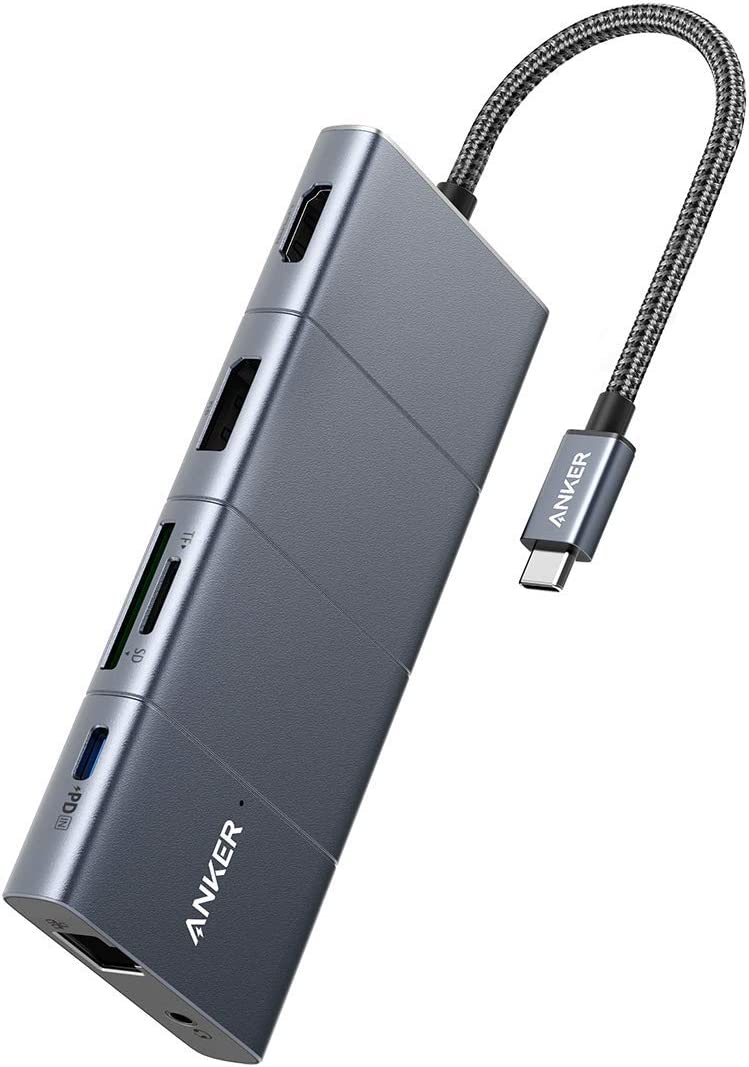
The Anker USB C Hub PowerExpand 11-in-1 Docking Station is an impressive and powerful device. It provides a comprehensive range of functions, enabling users to easily access multiple ports including HDMI, VGA, Ethernet, and several USB ports. It’s well-designed, is easy to use, and helps streamline the organization of your laptop peripherals. In particular, the compact size and sleek design make it a great option for those who are looking for a multi-function docking station that fits in their bag or pocket. Additionally, the 11-in-1 configuration means it offers a variety of convenience and usage options, from connecting peripheral devices to charging smartphones. Furthermore, it has a USB-C power delivery port which can be used to recharge laptops or other devices quickly and reliably. Overall, the Anker USB C Hub PowerExpand 11-in-1 Docking Station is a great product for anyone looking for a compact, multi-functional solution for keeping their laptop settings and accessories organized and accessible.
Features:
- Huge 11-Port Expansion: Equipped with a USB-C Power Delivery input port, an HDMI port, a DisplayPort, 1 USB-C data port, 3 USB-A ports, 1 Ethernet port, an AUX port, an SD card slot, and a microSD card slot.
- Multi-Monitor Display: The HDMI port and the DisplayPort both support a single-monitor display of up to 4K@60Hz. Connect to both simultaneously to enjoy crystal-clear streaming or mirroring across 2 displays at up to 2K@60Hz.
- Pass-Through Charging: Supports up to 100W (minus 15W for operation) pass-through charging so you can power up your laptop while accessing the hub’s other functions. Pass-through charging requires a charger (not included).
- Transfer Files in Seconds: Connect your thumb drive or external hard drive to either the USB-C data port or the USB-A 3.0 port to transfer files at up to 5 Gbps.
Conclusion:
When selecting a docking station for your Dell XPS laptop, it’s important to consider connectivity needs, budget, and performance requirements. The CalDigit TS4 Thunderbolt 4 Dock provides unmatched versatility with 18 ports and blazing Thunderbolt 4 speeds. But it comes at a premium price point.
Dell’s own WD22TB4 Thunderbolt 4 Dock is an excellent alternative that still provides robust I/O and docking capabilities, just in a more compact form factor. For more budget-friendly options, the Plugable Triple 4K Dock, Dell D3100 Dock, and Anker 11-in-1 Dock offer solid performance, a decent selection of ports, and smaller price tags.
Think about must-have ports like extra monitors, card readers, and your peripheral devices. Also consider available ports on your XPS model. If you need maximum speed for data transfers and multiple 4K displays, go for one of the Thunderbolt 4 options. But the more affordable non-Thunderbolt docks still provide satisfactory docking versatility. Prioritize your needs and choose the right balance of price, performance, and connectivity for your Dell XPS productivity.