Best Docking Station for 3 Monitors
The best docking station for three monitors can be a real lifesaver when it comes to expanding and upgrading your workspace. With the right docking station, you can easily connect multiple monitors to your laptop or PC, making it much easier to work on larger projects and manage multi-screen presentations. But not all docking stations are created equal, so choosing the best one is essential. When picking out a docking station for three monitors, there are several factors to consider. First and foremost, you’ll want to ensure your chosen dock is compatible with your computer’s graphics card and monitor connections. If you’re using DisplayPort, HDMI, DVI, or VGA ports, make sure the dock supports them. It’s also a good idea to look for a docking station that includes a power adapter, as well as ports for USB, Ethernet, or headphones. You should also consider the size, type, and performance of the docking station itself, as well as any additional features. We have reviewed and tested latest docking stations, and below are top recommended ones for 3 monitors:
1. CalDigit TS4 Thunderbolt 4 18-in-1 Hub – Check Price at Amazon/B&H Photo Video
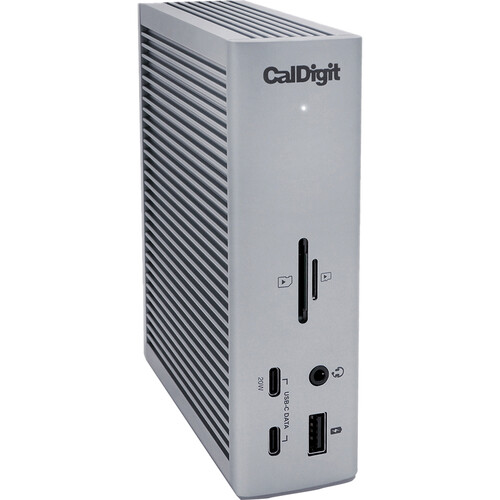
The CalDigit TS4 Thunderbolt 4 Dock is currently one of the most high-end and best selling docking stations on the market. It features 3 Thunderbolt 4 ports, 5 USB 3.2 Gen2 type-A ports, 3 USB 3.2 Gen2 type-C ports, an Ethernet port, a DisplayPort, four USB 2.0 Type-A ports, a 3.5mm Audio Out jack, and an SD/microSD card reader. This makes it perfect for connecting an array of external devices, such as monitors, hard drives, and printers. The dock can also be used to charge your laptop while connected via Thunderbolt 4, making it the ideal choice for people who need to utilize multiple external devices. Additionally, the CalDigit TS4 features a variety of advanced features, such as dual Thunderbolt 4 controllers, 98 watts of power delivery, two independent displays with resolutions up to 5K, and support for daisy-chaining up to 6 devices. The TS4’s impressive speed allows it to quickly transfer data, so you can quickly and easily complete any tasks that require large amounts of data transfer. Additionally, the TS4 features a built-in power delivery system, two locking cables, and Kensington security slot, providing increased security and peace of mind. In addition to its stellar performance, the TS4 also features a sleek, modern design that fits in with any workspace. Overall, the CalDigit TS4 Thunderbolt 4 Dock is an excellent choice for those looking for a powerful, secure, and aesthetically pleasing docking solution.
Features:
- 3 x Thunderbolt 4 Ports
- 3 x USB 3.2 Gen 2 Type-C
- 5 x USB 3.2 Gen 2 Type-A
- 1 x DisplayPort 1.4
- 1 x SD, 1 x microSD Card Slots
- 1 x 2.5 Gigabit Ethernet Port
- 1 x 3.5mm Combo Audio Jack
- 1 x Rear Audio Out, 1 x Rear Audio In
- 98W Power Delivery
- For Windows & Mac
2. Plugable 4K USB C Docking Station Triple Monitor with 100W Power Delivery – Check Price at Amazon
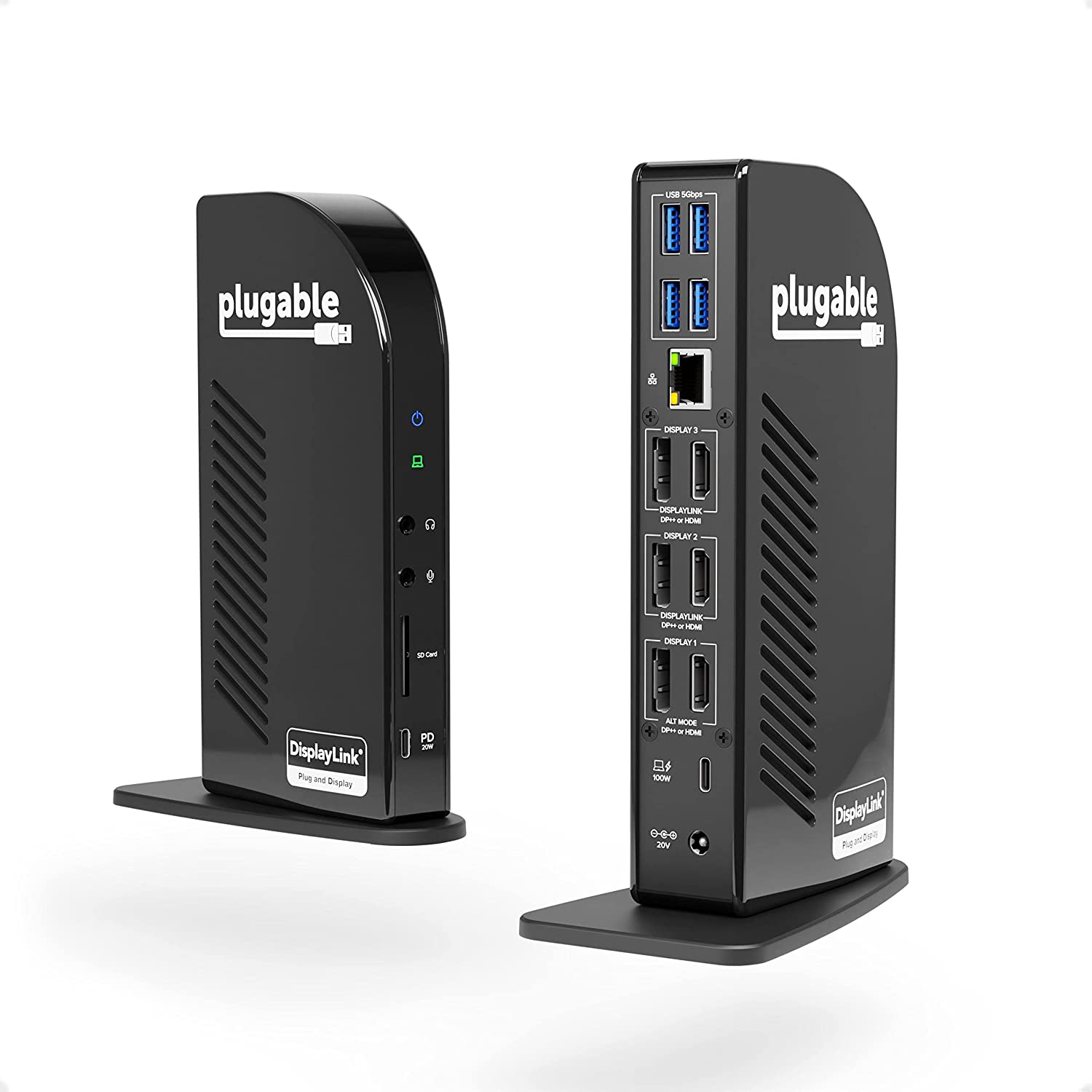
The Plugable 4K USB C Docking Station Triple Monitor with 100W Power Delivery is an ideal tool for productivity, creativity, and convenience, also another best selling docking station for 3 monitors. It features three HDMI ports, two DisplayPort ports, and a USB Type-C port with 100W of power delivery. The Plugable 4K is easy to install, with no manual setup required, and the included software makes setting up your displays a breeze. The picture quality is excellent and it supports resolutions up to 4K. It also has advanced features like DisplayLink’s Universal Display Technology and DirectX 10/11 Graphics Core technology, making it perfect for gaming or other graphics intensive applications. The Plugable 4K is designed to provide superior performance and reliability. It has an advanced power system for better energy efficiency, and offers a wide range of connection options for any type of device. Overall, the Plugable 4K USB C Docking Station Triple Monitor with 100W Power Delivery is an excellent choice for those in need of multi-monitor configuration capabilities. It provides a reliable, high-quality image, and comes with plenty of features that make it well worth the price.
Features:
- Powerful Ports – 13 ports and power delivery to keep your laptop running all day, this USB-C docking station with Power Delivery extends across three screens with room for all of your peripherals. All through a single 10Gbps USB-C cord back to the computer
- Triple 4K – Featuring 3x DisplayPort ports, and 3x HDMI ports — standardize on one or use a mix of both to extend your desktop across three 4K monitors @ 60Hz with USB4 / Thunderbolt 4 hosts via Alt Mode and this laptop docking station — no dongles required
- 100W Power Delivery – Power your laptop with up to 100W (96W certified) directly through the DisplayLink docking station, so you can leave your laptop power adapter in your travel bag.
- Compatibility – USB-C dock is compatible with Windows 10 or later, ChromeOS 100 or later, and macOS 11+ systems with Thunderbolt 4, Thunderbolt 3, USB4, and USB-C
- Connection Options – Triple display docking station let’s you connect your phone or other devices with 1x USB-C (10Gbps, 20W PD), and keep expanding with 4x USB 3.0 (5Gbps), an SD card reader, Gigabit Ethernet, and audio in and out ports
3. Anker 575 USB-C Docking Station (13-in-1) – Check Price at Amazon

The Anker 575 USB-C Docking Station (13-in-1) is an all-in-one solution for connecting and powering your MacBook Pro M2. This dock features a USB-C data port, 3 USB-A ports, 2 HDMI ports, a DisplayPort, an Ethernet port, SD/microSD card slots, a 3.5 mm AUX port, and a DC input.. In addition to the various port options, the Anker 575 can charge connected devices at up to 100W and offers a cable management feature to keep cables neat and organized. With 13 different connection ports available, this docking station offers great versatility and convenience for a variety of uses. The design is sleek and modern, with a sturdy aluminum base that ensures stability on a desk or countertop. Setup is easy, with no driver installation required, and the included power adapter ensures the dock is always ready to use. Anker 575 stands out among other docking stations thanks to its robust capabilities and reliable performance after extended use. In conclusion, the Anker 575 USB-C Docking Station (13-in-1) is an excellent choice that offers powerful and versatile connectivity options, as well as a sleek, modern design and reliable performance.
Features:
- Huge Expansion: Equipped with an 85W laptop-charging USB-C port, an 18W Power Delivery USB-C port, a USB-C data port, 3 USB-A ports, 2 HDMI ports, a DisplayPort, an Ethernet port, SD/microSD card slots, a 3.5 mm AUX port, and a DC input.
- Simultaneous Charging: Connect your laptop to the 85W USB-C port and connect your phone or other mobile device to the 18W Power Delivery USB-C port to get simultaneous high-speed charging.
- Comprehensive Media Display: Simultaneously stream media to up to 3 monitors in 1080p@60Hz via the DisplayPort and dual HDMI ports.
- Display Information: macOS and iPadOS only support Single-Stream Transport (SST) mode, which means all connected monitors will show the same content.
4. StarTech Triple Monitor USB 3.0 Docking Station – Check Price at Amazon

This triple monitor USB 3.0 laptop docking station turns your USB 3.0/3.1 laptop into a full workstation with two DisplayPort outputs and an HDMI output. Unlike some proprietary docks that only work with specific laptop brands, this dock is universal, working with your Windows or Mac computer with USB 3.0. Triple Display Flexibility This USB 3.0 port replicator adds triple monitor support to your workstation, with resolutions up to 4K Ultra HD (3840 x 2160p) on one display and 2048×1152 on the other two. With more screens combined with high resolution, the dock maximizes your screen real estate so you can simultaneously access multiple applications and compose on one display while referencing material on the other. You can also use your laptop screen, for four displays in total, making it easy to manage several programs at once and avoid the nuisance of minimizing or rearranging windows. Powerful Connections and Fast Device Charging To support all your USB peripherals, this USB 3.0 laptop docking station provides five USB 3.0 ports. The side-facing USB port is a USB fast-charge port, so you can charge your mobile devices faster than from standard USB ports, with or without your laptop connected. The dock has a GbE port, headset jack and separate 3.5 mm audio and mic ports, so you get all the connections you need in one place. It also supports UASP, helping to enhance the performance and quicken the read/write speeds to and from your device(s). This TAA compliant multiport docking station is backed by a 3-year warranty and free lifetime technical support.
Features:
- TRIPLE DISPLAY DOCKING STATION: This universal USB 3.0 laptop dock lets users maximize their display capabilities with a triple monitor (1 x HDMI and 2 x DP) or dual-monitor setup, which will help to boost productivity
- 4K ULTRA HD RESOLUTIONS: Bring a lifelike picture to your monitor or display with this 4K USB docking station that supports resolutions up to 3840×2160 on one of the displays while supporting and 2048×1152 on the other two
- CONNECT & CHARGE YOUR USB PERIPHERALS: Connect up to five USB devices with this USB 3.0 DisplayPort & HDMI docking station. For added convenience, you can quickly charge your USB devices using the integrated USB fast-charge port
- CREATE A POWERFUL WORKSTATION: In addition to the five USB ports, the triple display docking station features a GbE RJ45 port and headset jack plus a separate 3.5mm audio and microphone port
- OS COMPATIBILITY: This USB docking station works with Windows, Mac, and ChromeOS; Includes 1x 3.3ft (1m) USB 3.0 Type-A to B host cable; NOTE: USB-C hosts will need a USB 3.0 Type-C to B cable or USB 3.0 Type-C male to Type-A female adapter (not incl.)
5. Plugable 13-in-1 USB-C Triple Monitor Docking Station – Check Price at Amazon
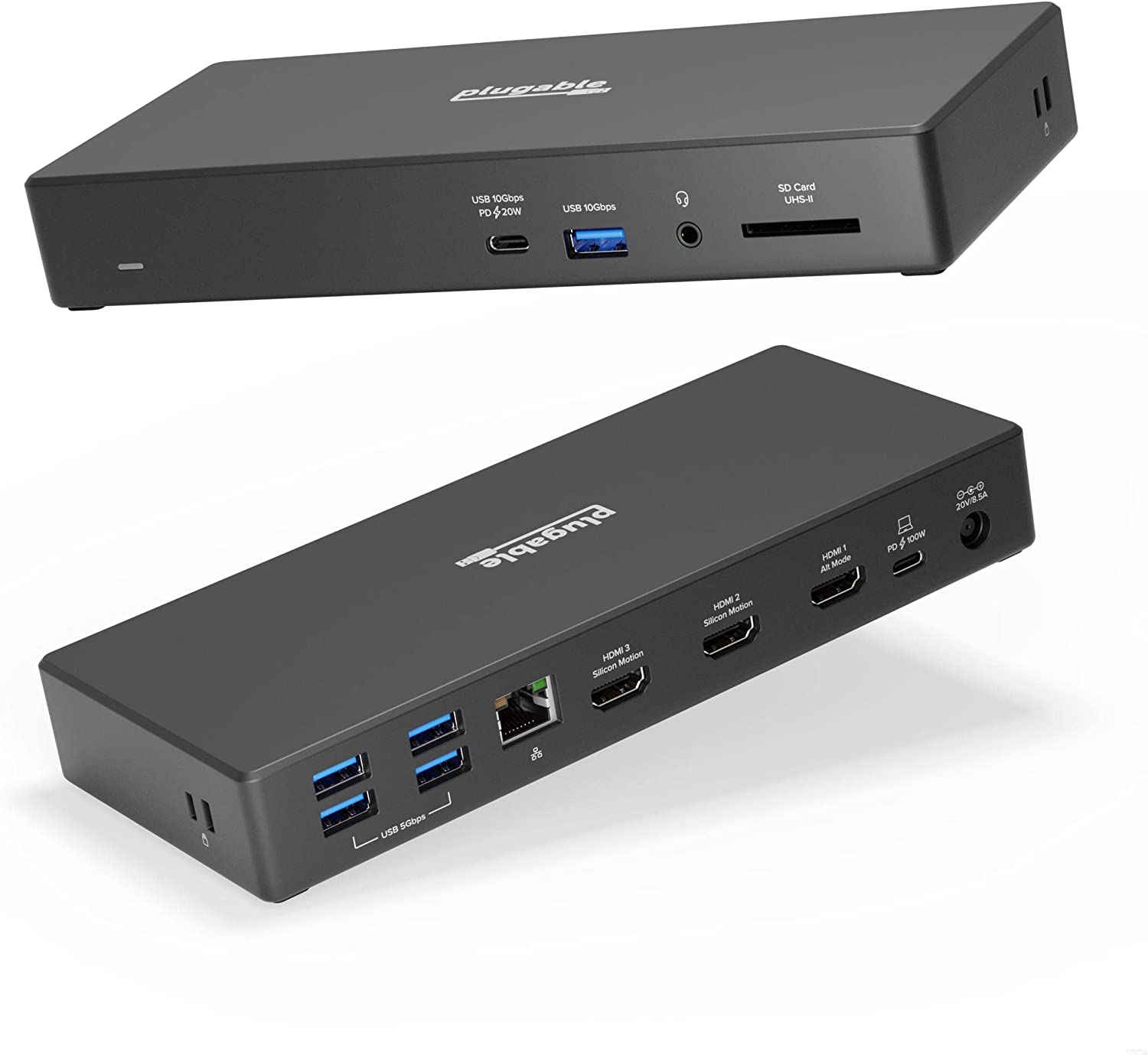
The Plugable USB-C Triple Display Laptop Docking Station with 100W Charging is designed to deliver productivity to any desk it lands on. Three HDMI ports let you extend up to three displays, all at 1080P 60Hz resolution. And because this dock is built around a Silicon Motion chipset, that triple display even extends to M1 and M2-powered Macs that would otherwise only support one screen (driver download required). In addition to the three HDMI ports, the USB-C docking station offers space for all of your peripherals. Connect with 4x USB 3.0 ports (5Gbps), 1x USB 3.2 (10Gbps), 1x USB-C (10Gbps) with 20W charging, an SD Card reader, Gigabit Ethernet, and an audio jack. It even delivers 100W charging, all through a single USB-C cable (included) back to your laptop.
Features:
- Get Connected – Spread out with three HDMI displays, power up with 100W charging, connect with 5x USB ports, 1x USB-C port, Gigabit Ethernet, SD card reader, and an audio in/out port on this USB C dock
- Triple Display – Productivity abounds on this HDMI docking station for multiple monitors with room for all of your important screens. 3x HDMI ports offer resolution up to 1920×1080 @ 60Hz, even on laptops that only support one, like M1 and M2 Macs
- Power Delivered – This 3 monitor docking station keeps you charged all day with 100W Power Delivery. For your phone or accessories, a USB-C port on the front of the dock delivers up to 20W charging
- Compatibility – This USB C docking station works with systems running Windows 10 and newer, macOS 10.15+, and ChromeOS with USB4, Thunderbolt 4, Thunderbolt 3, and/or USB-C. Driver download required
- 2 Year Warranty – We love our Plugable products, and hope you will too. All of our products are backed with a 2-year limited parts and labor warranty as well as Seattle-based email support