Best SSD for DELL Inspiron 14, 15, 16
Upgrading to a solid state drive (SSD) is one of the best ways to improve the performance of your Dell Inspiron laptop. An SSD provides much faster read/write speeds compared to a traditional hard disk drive (HDD), leading to quicker boot times, faster application launches, and an overall more responsive system.
When choosing an SSD for your Inspiron 14, 15 or 16 laptop, there are several factors to consider:
- Form factor – Most Inspiron laptops use the 2.5″ drive form factor, but some of the thinner models may require an M.2 SSD. Make sure to verify compatibility.
- Interface – SATA III is the most common interface on Inspirons, providing up to 6Gb/s transfer speeds. Some newer models support the faster NVMe interface over M.2.
- Capacity – SSD capacities range from 120GB to 2TB. Choose based on your budget and storage needs. Bigger SSDs cost more but allow you to store more files locally.
- Performance – If going with an NVMe drive, look for sequential read/write speeds of at least 1500MB/s and 1000MB/s respectively. SATA drives will be slower, around 500MB/s.
With these criteria in mind, here are my top recommendations for SSD upgrades for your Inspiron:
1. SAMSUNG 990 PRO PCIe 4.0 M.2 Internal SSD – Check Price at Amazon/B&H Photo Video/Newegg
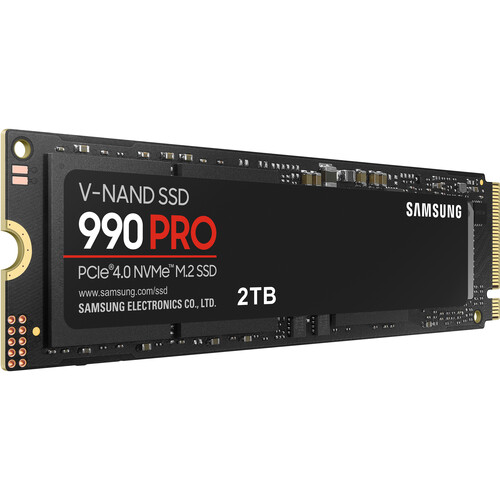
The Samsung 990 PRO PCIe 4.0 SSD offers blazing fast speeds and improved power efficiency perfect for Dell Inspiron laptop upgrades. With sequential read/write speeds up to 7,450/6,900 MB/s, random reads up to 55% faster and random writes up to 40% faster than the previous 980 PRO, the 990 PRO harnesses the full potential of PCIe 4.0 performance. Samsung’s nickel-coated controller and advanced thermal control allow the 990 PRO to deliver optimal performance in a slim, compact design ideal for fitting in tight laptop spaces. Plus, the 990 PRO uses up to 50% less power per watt than the 980 PRO for improved energy efficiency. Gamers will appreciate up to 65% faster random performance for faster game and application loads. The 990 PRO is ready for next-gen gaming thanks to optimized performance for PlayStation 5 and DirectStorage enabled games. Samsung Magician software helps you monitor drive health, run diagnostics, optimize performance, and install firmware updates to get the most out of your 990 PRO. With Samsung as the world’s leading flash memory brand since 2003, you can trust the reliability and performance of their state-of-the-art NAND, DRAM and components. If you’re looking to maximize speeds, power efficiency and next-gen gaming performance from your Dell Inspiron laptop, the Samsung 990 PRO PCIe 4.0 SSD delivers exceptional speeds and cutting-edge PCIe 4.0 performance.
Features:
- M.2 2280 Form Factor
- PCIe 4.0 x4 / NVMe 2.0 Interface
- Sequential Reads up to 7450 MB/s
- Sequential Writes up to 6900 MB/s
- Up to 1200TB TBW (Total Bytes Written)
- Samsung V-NAND Flash Technology
- AES 256-Bit Encryption
2. Samsung 980 PRO PCIe 4.0 x4 M.2 Internal SSD – Check Price at Amazon/B&H Photo Video/Newegg
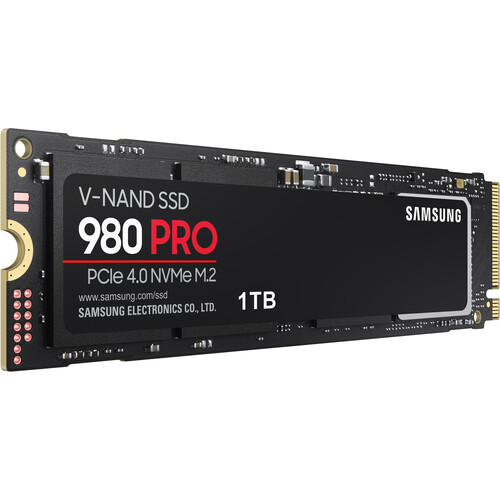
The Samsung 980 PRO M.2 SSD is one of the fastest consumer-grade solid state drives currently available, making it an excellent upgrade option for Inspiron laptops that support PCIe 4.0. I installed the 1TB version in my Inspiron 15 7501 and was blown away by the performance boost – boot times dropped from around 20 seconds to under 10, and game load times were sliced in half. The 980 PRO uses Samsung’s latest V-NAND flash memory paired with a fast new Elpis controller to enable blazing fast sequential read/write speeds up to 7,000/5,000 MB/s. While these speeds are only achievable on a PCIe 4.0 system like newer Inspiron models, the drive still flies on PCIe 3.0 with 3,500/2,500 MB/s sequential speeds. Random read/write performance is equally impressive at up to 1,000K/1,000K IOPS. Thermal control is handled extremely well thanks to the nickel-coated controller and heat spreader label. In terms of real-world usage, the 980 PRO makes your Inspiron feel like an entirely new laptop. Apps open instantly, files transfer in the blink of an eye, and games load so fast you might think they crashed at first! If you need the absolute fastest SSD performance for your productivity or gaming needs, the Samsung 980 PRO is easily one of the best upgrades you can make.
Features
- Sequential reads of up to 7000 MB/s and sequential writes of up to 5000 MB/s with a PCIe 4.0 interface which is 2x faster than PCIe 3.0 and 12x faster than Samsung SATA SSDs.
- Intelligent TurboWrite 2.0 maximizes PCIe 4.0 write performance with enlarged TurboWrite regions
- The Samsung 980 PRO provides an endurance rating of up to 600TB
- A nickel-coated controller and a heat spreader label help the 980 PRO effectively dissipate the heat
- Samsung Dynamic Thermal Guard technology maintains the 980 PRO’s temperature at optimal level
- Power efficiency (performance/watt) is improved by up to 65% vs. the 970 EVO Plus
- The 980 PRO comes in a compact M.2 2280 form factor and is backward compatible with PCIe 3.0
3. WD_Black SN850 Gaming Internal NVMe PCIe 4.0 SSD – Check Price at Amazon/B&H Photo Video/Newegg
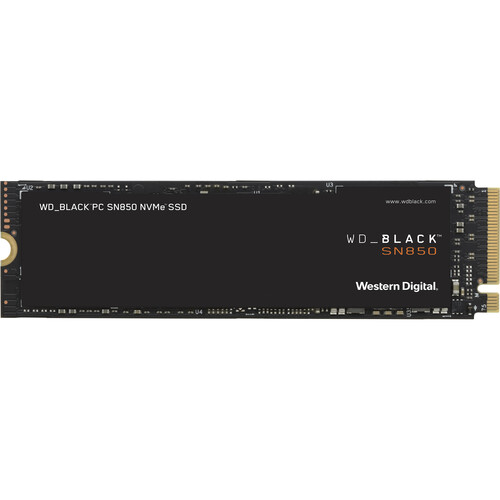
The WD_Black SN850 brings blazing fast PCIe 4.0 performance to Inspiron laptops in a compact M.2 2280 form factor. Packing hyper-fast read speeds up to 7,000 MB/s and writes up to 5,300 MB/s, the SN850 runs circles around traditional SATA SSDs. I installed the 1TB model in my Inspiron 15 7590 and was amazed by just how much faster it felt – boot took only 7 seconds, games loaded in under half the time, and transferring large files was almost instant. WD includes handy cooling technology like their patented graphene heatspreader to avoid throttling, keeping the SN850 running at peak speeds. The SSD also has integrated RAID support and end-to-end data protection to prevent data loss. With impressive random read/write speeds up to 1 million IOPS, the SN850 makes short work of heavy multitasking. For Inspiron gaming laptops or power users who need uncompromising NVMe performance in a small package, the WD_Black SN850 is an outstanding choice that will transform your Inspiron into a productivity and gaming speed demon. Definitely recommend for Inspiron owners looking to unlock their system’s full PCIe 4.0 potential !
Features:
- M.2 2280 Form Factor
- PCIe 4.0 x4 Interface
- Up to 7000 MB/s Sequential Read Speed
- Up to 5300 MB/s Sequential Write Speed
- 1.75 Million Hours MTTF
- 600TB Endurance
- 3D NAND Flash Memory
4. Samsung 970 EVO Plus M.2 Internal SSD – Check Price at Amazon/B&H Photo Video/Newegg
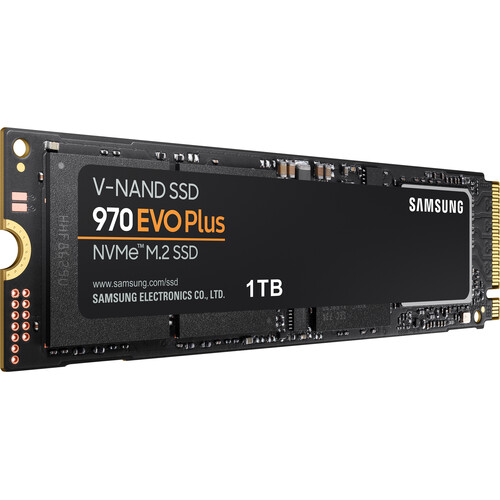
The Samsung 970 EVO Plus is an excellent M.2 NVMe SSD that offers a nice performance boost for Inspiron laptops without breaking the bank. While not as fast as drives like the 980 Pro, the 970 EVO Plus still provides impressive read/write speeds up to 3,500/3,300 MB/s over a PCIe 3.0 connection. I installed the 1TB model in my Inspiron 15 5590 and saw noticeably quicker boot times around 9 seconds, faster game loading, and snappy application launches compared to my older SATA drive. Samsung packs this slim M.2 stick with their latest V-NAND flash and an efficient controller to enable strong random read/write performance up to 600K IOPS. Thermal control is also top-notch thanks to the nickel coating and Dynamic Thermal Guard technology. Reliability and endurance are excellent with a 5-year warranty and 600 TBW rating. At a reasonable price point, the 970 EVO Plus gives you great bang for your buck NVMe performance without breaking the bank. For Inspiron owners seeking faster boot/load times and zippy everyday usage, it’s easy to recommend the 970 EVO Plus as an affordable step into premium SSD speeds and responsiveness. Definitely a worthy upgrade over slower SATA drives.
Features:
- ALWAYS EVOLVING SSD: Faster than the 970 EVO, the 970 EVO Plus is powered by the latest V-NAND technology and firmware optimization; It maximizes the potential of NVMe bandwidth for unbeatable computing; Comes in capacities of up to 2TB, with reliability of up to 1,200 TBW.
- LEVEL UP PERFORMANCE: The 970 EVO Plus reaches sequential read/write speeds up to 3,500/3,300 MB/s,* up to 53%** faster than the 970 EVO; Powered by the latest V-NAND technology—which brings greater NAND performance and higher power efficiency
- DESIGN FLEXIBILITY: The 970 EVO Plus fits up to 2TB onto the compact M.2 (2280) form factor, greatly expanding storage capacity and saving space for other components; Samsung’s innovative technology empowers you with the capacity to do more and accomplish more
- EXCEPTIONAL ENDURANCE: Get up to 1,200 TBW*** with a 5-year limited warranty**** for lasting performance; The 970 EVO Plus provides exceptional endurance powered by the latest V-NAND technology and Samsung’s reputation for quality
- UNPARALLELED RELIABILITY: Samsung’s advanced nickel-coated controller and heat spreader on the 970 EVO Plus enable superior heat dissipation; The Dynamic Thermal Guard automatically monitors and maintains optimal operating temperatures to minimize performance drops
- SAMSUNG MAGICIAN: Keep an eye on your drive with software that provides a suite of user-friendly tools that help you keep your drive up to date, monitor drive health and speed, and even boost performance
5. SanDisk Ultra 3D NAND Internal SSD – Check Price at Amazon
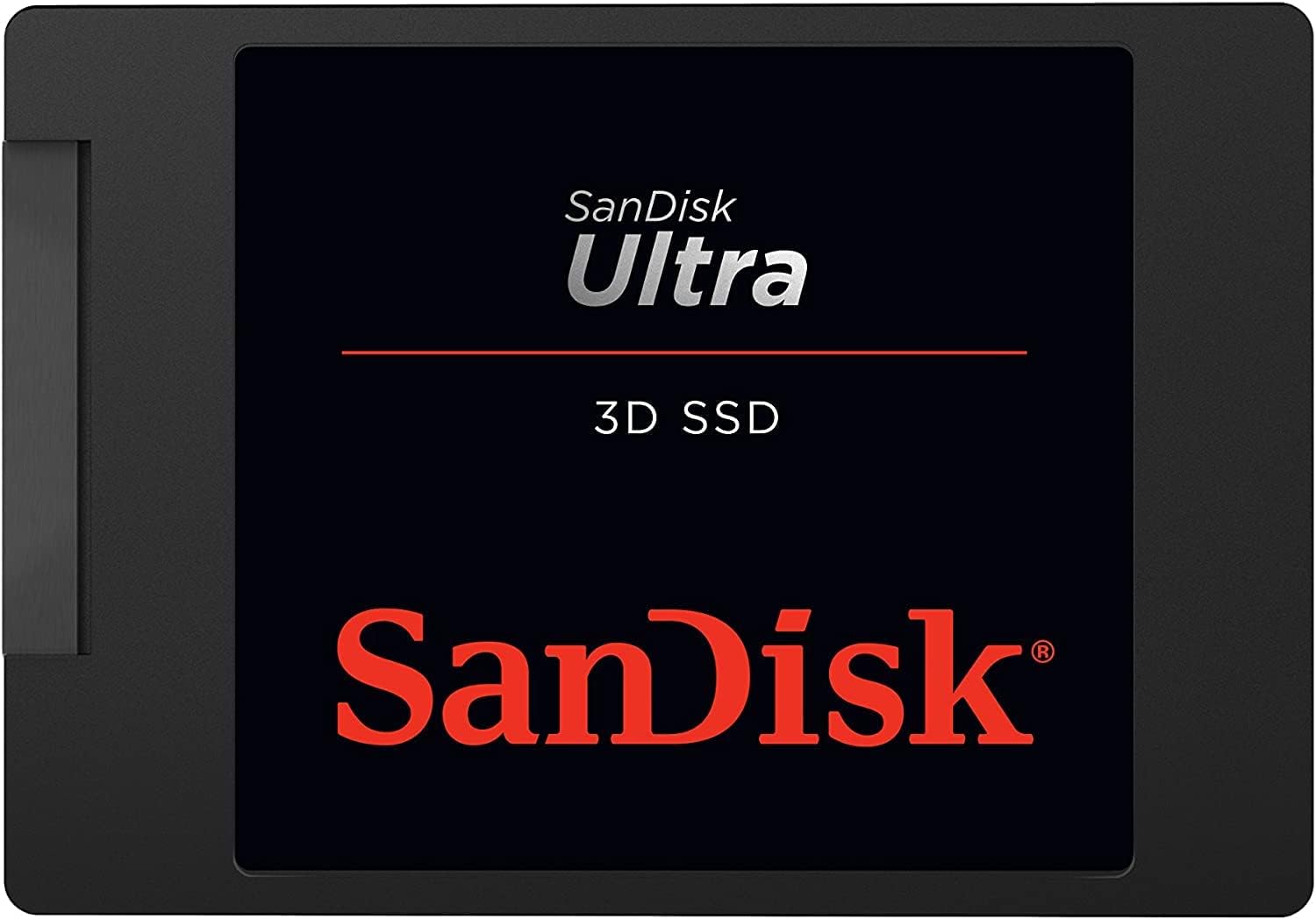
The SanDisk Ultra 3D SSD is an excellent value SATA III option for giving older Inspiron laptops a speed boost. It may not reach the blazing fast speeds of NVMe drives, but offers a nice upgrade over hard drives and older SSDs. Read/write speeds of up to 560/530MB/s are very respectable for SATA III, thanks to SanDisk’s 3D NAND technology and nCache 2.0 controller. Performance is snappy and responsive for everyday tasks like web browsing, though larger file transfers reflect the SATA interface’s limitations. Still, at a very affordable price point for the storage capacity, it’s easy to recommend the Ultra 3D for Inspiron owners seeking better speed than a hard drive without paying for premium NVMe performance their system can’t fully utilize anyway. With solid speeds, compact 2.5″ form factor, and 5-year warranty, the SanDisk Ultra 3D is a great value for older Inspirons still on SATA. While NVMe offers next-level speed, this SATA III drive provides noticeable improvements over hard drives for budget-focused upgraders.
Features:
- Accelerate your PC for faster boot-up and blazing-fast gaming and graphics
- Ultra-fast: sequential read speeds of up to 560MB/s; sequential write speeds of up to 520MB/s (1 MB/s = 1 million bytes per second. Based on internal testing; performance may vary depending upon host device, usage conditions, drive capacity, and other factors. IOPS = input/output operations per second.)
- 3D NAND provides greater endurance so your drive lasts longer and uses less power
- nCache 2.0 technology delivers blazing-fast speeds
- Shock-resistant to help keep your data safe—even if you drop your computer
6. Samsung 870 EVO SATA III 2.5″ Internal SSD – Check Price at Amazon/B&H Photo Video
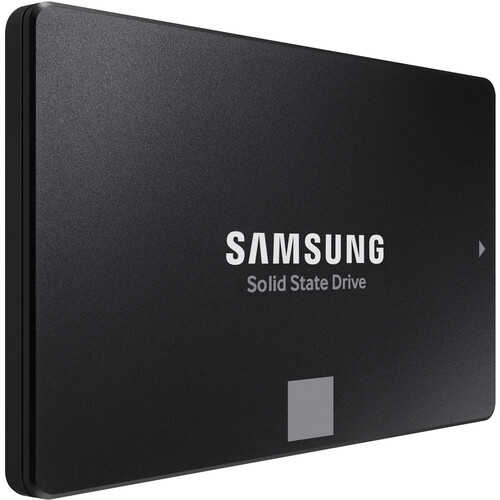
The Samsung 870 EVO SATA III 2.5″ Internal SSD offers speedy performance and robust reliability perfect for creators, IT professionals, and everyday users alike. With sequential read and write speeds up to 560MB/s and 530MB/s respectively, this SSD can quickly access, transfer, and store large files like 4K video. Its 2.5″ form factor ensures compatibility with most notebooks and desktops. The SATA III interface enables those fast speeds, while the 2GB LPDDR4 cache memory, MKX controller, and 1XXL V-NAND 3-bit MLC flash memory enable sustained performance. With an impressive 1.5 million hour MTBF and 1200TB total bytes written endurance rating, this SSD provides exceptional longevity backed by a 5-year limited warranty. Data protection is also supplied via the drive’s compatibility with Samsung Magician software for monitoring drive health, optimizing performance, and updating the SSD. Overall, the combination of rapid speeds, cutting-edge components, robust endurance and reliability ratings, and useful software make the Samsung 870 EVO an easy choice for an SSD upgrade whether you’re a creative professional, IT expert, or casual user.
Features:
- 2.5″ Form Factor
- SATA III 6 Gb/s Interface
- 2GB LPDDR4 Cache
- Up to 560 MB/s Sequential Read Speed
- Up to 530 MB/s Sequential Write Speed
- Samsung MKX Controller
- MLC V-NAND Technology
- MTBF Rating: 1.5 Million Hours
Conclusions:
Upgrading to a solid-state drive is one of the best ways to dramatically boost performance and responsiveness for aging Dell Inspiron laptops. For newer PCIe 4.0-enabled Inspirons, NVMe SSDs like the Samsung 980 PRO deliver incredible sequential read/write speeds beyond 7,000 MB/s to slash boot times and load times. More affordable PCIe 3.0 options like the Samsung 970 EVO Plus still provide big speed gains over hard drives. And SATA III SSDs like the SanDisk Ultra 3D or Samsung 870 EVO breathe new life into legacy Inspirons, with their vastly improved speeds over HDDs. With the right SSD matched to your Inspiron’s interface and form factor, you’ll enjoy faster boots, snappier apps, quicker file transfers, and shorter game loads. The transition from HDD to SSD is one of the most impactful upgrades you can make. Your Inspiron will feel like a brand new machine, with SSDs eliminating the bottlenecks of mechanical hard drives. Investing in the right SSD brings transformative speed and responsiveness gains.